Optional Microsoft Office Specialist (MOS) Certification @ SF State
Administrator:
Daniel Ciomek
Information Systems Department
Lam Family College of Business
San Francisco State University
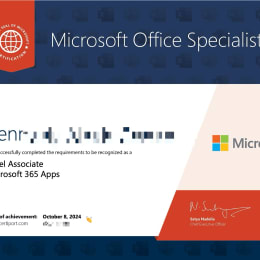
The Microsoft Office Specialist (MOS) certification exams are free ($100 retail value) and optional. Students can take the exam during or after taking the ISYS 263/363 courses. Your current ISYS 263/363 instructor may or may not offer extra credit for passing. Testing is offered during Spring and Fall semesters. Please check the calendar below for current sign-up times.
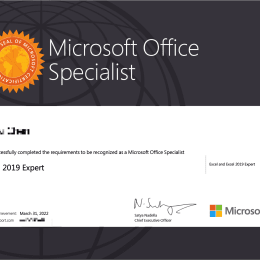
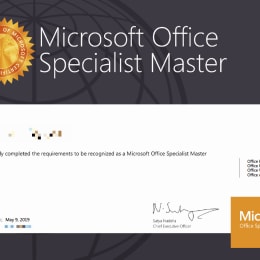
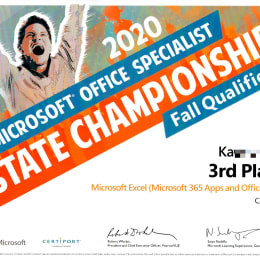
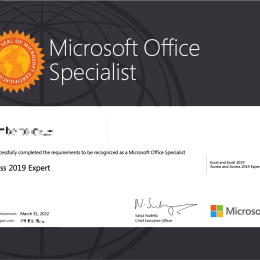
The MOS certification is great for your resume and you will receive a certificate and a verified badge to put on LinkedIn etc. You can participate in the Microsoft Office Specialist U.S. National Championship. Check the criteria for eligibility, e.g. candidates must be between the ages of 13 and 22 (as of June 15 of the competition year, e.g. 2027).
MOS Championship:
- Last day to enter your MOS certification into the Fall Qualifier: 12/20/2026
- Last day to enter your MOS certification into Spring Qualifier: 5/7/2027
- MOS U.S. National Championship in Orlando, Florida: 6/13-17, 2027
- MOS World Championship in Washington D.C., USA: 8/1-4, 2027
- MOS Championship Video
The default exam is now called the Excel Specialist 365/Apps exam. If you would like to sign-up for the Excel Expert or Access exam or an older version, you will need to select that in the drop down menu during sign-up, so we know we need to create an extra session for that exam version.
It is recommended to take the regular Excel exam before attempting the Expert exam, the Expert exam is difficult since most of the required content is not part of ISYS 363. Please see the eligibility requirements in the FAQ section below.
Please sign-up for the mailing list to hear about future test dates and updates to the program. If you register for an exam you will automatically be added to the list. You can unsubscribe at any time. https://eepurl.com/dtZsuD
Remote Exams - Virtual Exams:
The remote exam requires a high-speed Internet computer with at least 10 Mbps Internet bandwidth. The Chrome browser is recommended. Keyboard and external mouse recommended! Plan for a ~75-min. event overall including checking ID's. You can take the exam remote from home or anywhere if you have a laptop/desktop and high-speed Internet connectivity! You will need to download and install/launch an applet to create a secure browser session to the cloud to take the exam.
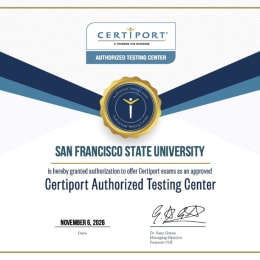
Alternative: We do have a local test center lab on campus in BUS 214.
Please watch this video to learn how MOS Exam works!
Review the new (!) Certiport Compass Cloud Remote user guide for the remote exam:
Once you have taken that exam, you can make another reservation for another exam if space is available. We only allow MOS exams for MS Excel (Associate/Expert) and MS Access to start with. If you pass 2 Excel and/or Access exams you could take others (PowerPoint, Outlook, Word). But first you need to tackle 2 of the the Excel and Excel Expert and/or Access exam.
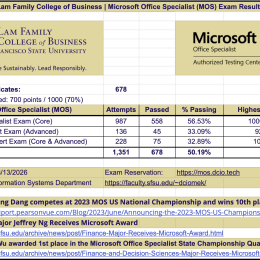
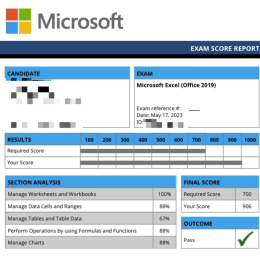
During the exam you need to complete ~35 tasks, usually about ~6-7 projects with ~5-7 tasks each. You have a total of 50 minutes to complete the exam. You can get up to 1,000 points and you need 700 to pass (70%). It's doable, but you need to be prepared as there is no time to waste during the exam.
You need to plan for about 75 minutes total time. We meet on Zoom at the start of the exam with the cameras on to verify ID's. You will connect to the Certiport cloud platform in parallel. You will not be able to start w/o prior ID check. If you cannot attend, please cancel ~24-48h before so we can fill up that seat. If you provide your mobile number during the registration you will get automated SMS/text reminders. We delete your booking data (incl. phone numbers) after the exam has been completed. If you don't show up, you are potentially blocking another student from taking the exam.
Please note:
Time slots will disappear (when full) or re-appear when seats open up again, depending on space availability. Each time slot seats up to 15 students. Check frequently for updates. The system will allow you to register starting 14-days before a scheduled date and up until 21-hours before a scheduled time if space is available. We reserve the right to cancel time slots with insufficient demand at the discretion of the proctoring faculty. We aim for 5+ people. We usually send the Zoom meeting invitations the night before the scheduled exam. One reservation at a time only!
Remote Exam MOS testing Fall 2026 (updated 11/15/26):
- Thu 12/3: 1:00pm, 7pm
- Fri 12/4: 10:30am
- Sat 12/5: 2:00pm
- Tue 12/8: 11:00am, 7:30pm
- Tue 12/8: 12:30pm (in-person, on campus only (BUS 214), please see the other link)
- Thu 12/10: 11:00am (in-person, on campus only (BUS 214), please see the other link)
SunMonTueWedThuFriSat
No available times
No available times this month
Minh Phuong Dang won the 2023 Spring California State Championship Qualifier and competed at the 2023 Microsoft Office Specialist US National Champions to win 10th place in the Excel 2019 competition. Congratulations!!!
https://certiport.pearsonvue.com/Blog/2023/June/Announcing-the-2023-MOS-US-Champions
Minh
Minh Phuong Dang competes at 2023 Microsoft Office Specialist US National Championship and wins 10th place
Hong
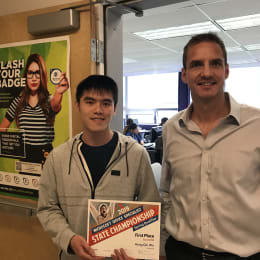
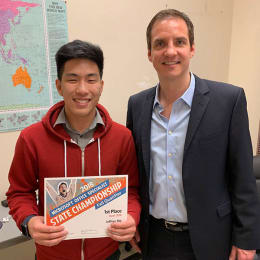
Hong Qin Wu awarded 1st place in the Microsoft Office Specialist State Championship Qualifier
Watch Jeffrey in this video: https://youtu.be/g2dbP0p-Zcg
Jeffrey
Jeffrey scores 1000/1000
How can I hear about future test days and any news about the program?
What if I need DPRC / ADA accommodations?
I have a Mac or Linux PC, or a Chromebook. Can I still get certified?
How does the exam work? What should I expect?
How can I study and prepare for the exam?
Which MOS exams can I take?
How much does the exam cost?
How many reservations can I make at a time? (1!)
What if I need to cancel or cannot come to a scheduled exam?
Which PC version of Microsoft Office Access and Excel will I be tested on?
Retake Policy: What if I fail an exam and would like to take it again?
When and how often is the exam offered?
Who can take MOS exams at SF State?
Where is the test center located?